Re: RELEASE : DaiZy 2018 v1.5 [04/06/2014 UPDATED]
Posted by Eric the Viking on
URL: http://kodabar-dayz-daizy-single-player-forum.163.s1.nabble.com/RELEASE-DaiZy-2018-v1-5-04-06-2014-UPDATED-tp14780p20160.html
Alright, I've had a look at this and everything seems to work ok...

I presume most people are using the Steam version of the game so it's version 131129 (?) and folder layout is like this...

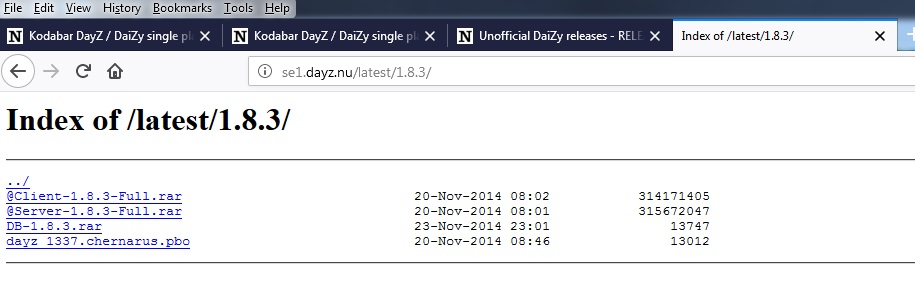
Download the DayZ 1.8.0.3 from here. You want @Client-1.8.3-Full.rar
In your Arma 2 folder create a directory named "@2018" (without the quotes naturally). Open the 1.8.0.3 archive and copy the files into @2018...

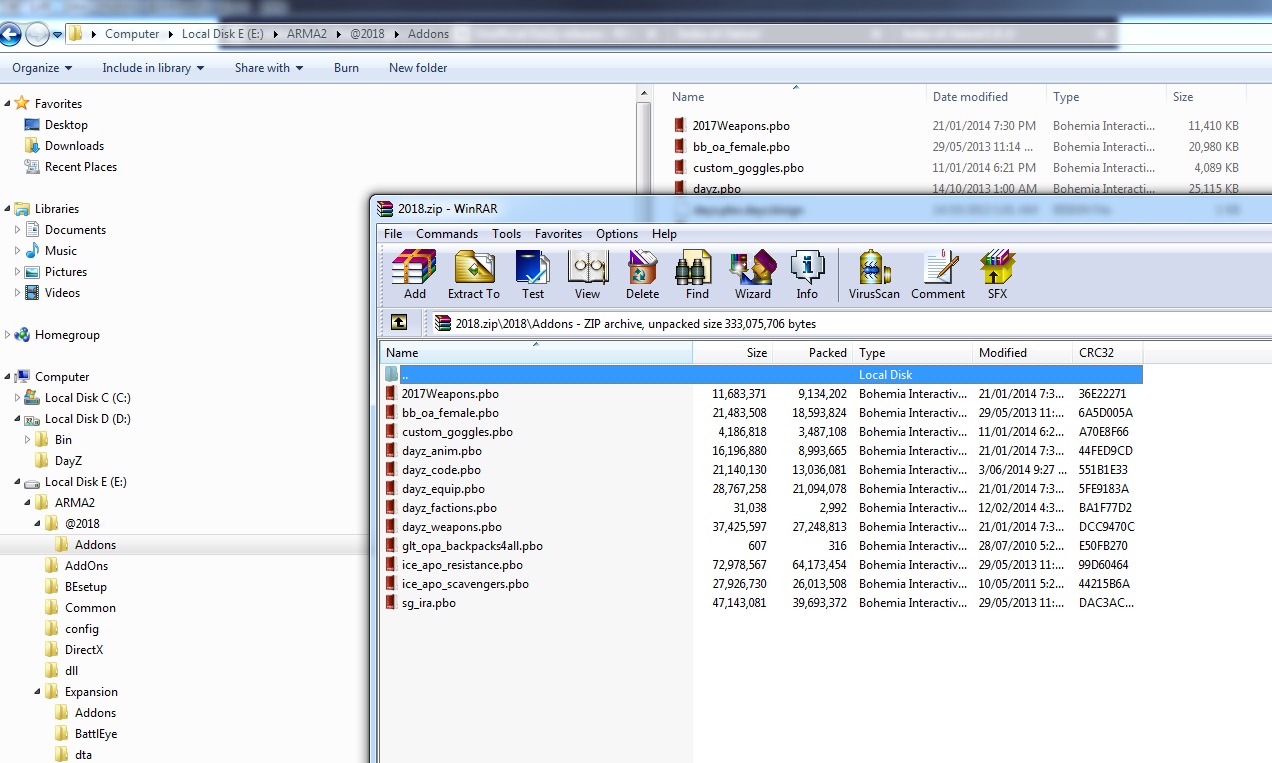
Next, open up the 2018 archive and extract the files - they go in the 2018/addons folder - allow it to overwrite when it asks...
Again, from the 2018 archive, copy the mission from the mission folder into the Arma2/Mission folder.
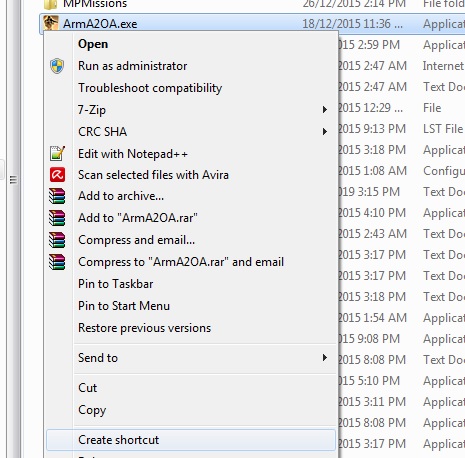
Now select the Arma 2 folder, select the "ArmA2OA.exe" and create a shortcut...
Drag it to your Desktop and modify it so it reads:
E:\ARMA2\ArmA2OA.exe -nosplash -skipIntro -mod=@2018
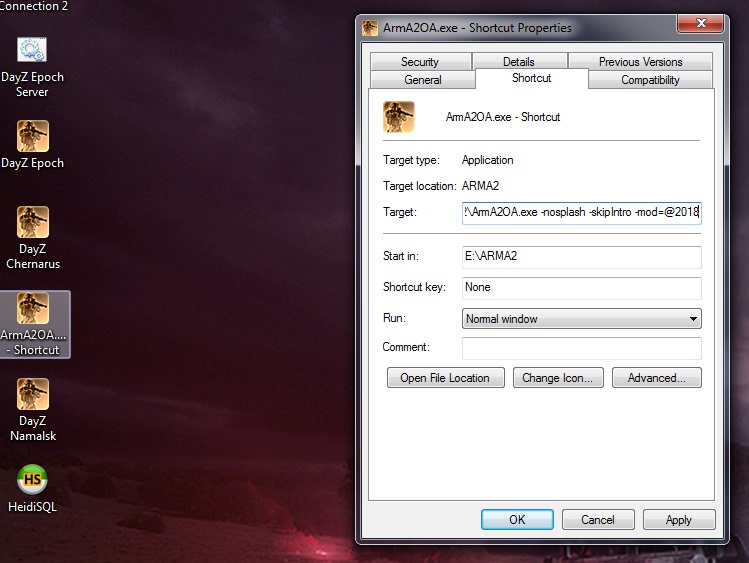
The exact paths will depend on your Arma2 install.
Double click the shortcut and you should be good to go.
Couple of points to note:
* You can use the most recent version of Arma 2 without issue - no need to muck around with Beta this or that. Follow either this post or the post by forum member "WB" above this one for Steam related stuff.
* You can use older versions of Arma 2 (GOG used to have a version) and patch it to the minimum required 103718 (Use the OP's instructions)
* Watch for "cross contamination" between mods / Arma versions - this can cause "missing content" messages.
* The mods listed in the first post by the OP can easily be added. They extract to their own folders like @2018 - @CoWar or @CBA. Remember, you need to add them to the command line...
E:\ARMA2\ArmA2OA.exe -nosplash -skipIntro -mod=@2018; @CoWar; @CBA;
URL: http://kodabar-dayz-daizy-single-player-forum.163.s1.nabble.com/RELEASE-DaiZy-2018-v1-5-04-06-2014-UPDATED-tp14780p20160.html
Alright, I've had a look at this and everything seems to work ok...
I presume most people are using the Steam version of the game so it's version 131129 (?) and folder layout is like this...
Download the DayZ 1.8.0.3 from here. You want @Client-1.8.3-Full.rar
In your Arma 2 folder create a directory named "@2018" (without the quotes naturally). Open the 1.8.0.3 archive and copy the files into @2018...
Next, open up the 2018 archive and extract the files - they go in the 2018/addons folder - allow it to overwrite when it asks...
Again, from the 2018 archive, copy the mission from the mission folder into the Arma2/Mission folder.
Now select the Arma 2 folder, select the "ArmA2OA.exe" and create a shortcut...
Drag it to your Desktop and modify it so it reads:
E:\ARMA2\ArmA2OA.exe -nosplash -skipIntro -mod=@2018
The exact paths will depend on your Arma2 install.
Double click the shortcut and you should be good to go.
Couple of points to note:
* You can use the most recent version of Arma 2 without issue - no need to muck around with Beta this or that. Follow either this post or the post by forum member "WB" above this one for Steam related stuff.
* You can use older versions of Arma 2 (GOG used to have a version) and patch it to the minimum required 103718 (Use the OP's instructions)
* Watch for "cross contamination" between mods / Arma versions - this can cause "missing content" messages.
* The mods listed in the first post by the OP can easily be added. They extract to their own folders like @2018 - @CoWar or @CBA. Remember, you need to add them to the command line...
E:\ARMA2\ArmA2OA.exe -nosplash -skipIntro -mod=@2018; @CoWar; @CBA;
| Free forum by Nabble | Edit this page |